
Agent skills are folders of instructions, scripts, and resources. Copilot can load the files when required to fulfil specialised tasks. Agentskills is an open standard and therefore should be a good choice for sharing. We will try it out and see how skills can be helpful in a Java Spring Boot project based on hexagonal architecture.
What Agent Skills do we need?
Our demo application is the same that we used in Hexagonal Architecture in Spring Boot Projects with AI. The theme is the one of Ultra Trail races. And the backend currently allows to manage races with their plans, segments, and accommodation. Alongside the Spring backend that offers the DB and the APIs we have a Angular frontend in the same repository.
In such a full-stack mono repo, I can think about the following agent skills:
- Transforming the Java DTOs on the backend to TypeScript models on the frontend.
- Generating a use case on the backend.
- Implementation of a backend HTTP call to a third-party system based on an Open API definition.
- Creating a e2e test based on the frontend and the backend mocks.
- Retrieve the latest CI/CD log for failures and support in fixing.
- Create API tests for the backend based on domain knowledge.
Let us explore the first idea in more detail and create a skill for model creation out of DTOs.
Creating the Agent Skills
Because a skill can involved scripts, we will make use of that. Under the .github folder in our repository we create a skills folder and add a first skill folder controller-data-to-ts-models. Now inside that folder we need a SKILL.md file with a defined structure:
---
name: controller-data-to-ts-models
description: Generate TypeScript model files from data contracts exposed by Spring controllers (@RequestBody and ResponseEntity<T>). Use this when asked to keep frontend models aligned with API controller contracts.
---

# Skill: Controller Data → TypeScript Models

## Purpose

Generate frontend TypeScript model files from the data contracts exposed by Spring controllers:

- request payload types from `@RequestBody`
- response payload types from `ResponseEntity<T>`

This keeps Angular models aligned with API contracts instead of generating from every domain class.

## Scope

The generator scans:

- `src/main/java/com/ultratrail/api/*Controller.java`

It resolves and emits models for referenced classes from:

- `src/main/java/com/ultratrail/application/*Command.java`
- `src/main/java/com/ultratrail/domain/*.java`

## Output

Generated files are written to:

- `frontend/src/app/models/*.model.ts`

If a model file already exists with the same name, it is overwritten.

## Run

From project root:

```bash
node .github/skills/controller-data-to-ts-models/generate-controller-ts-models.mjs
```

Or from any directory inside the repository:

```bash
node /absolute/path/to/repo/.github/skills/controller-data-to-ts-models/generate-controller-ts-models.mjs
```

## Mapping rules

- `String`, `LocalDate`, `LocalDateTime`, `Instant`, `UUID` → `string`
- `Integer`, `Long`, `Double`, `Float`, `BigDecimal` → `number`
- `Boolean` → `boolean`
- `List<T>`, `Set<T>`, `Collection<T>` → `T[]`
- Java nested enums (e.g., `Race.RaceStatus`) are emitted as TS union types.
- Field `id` is generated as optional (`id?: ...`).

## Notes

- The generator is intentionally contract-focused and does not modify existing handcrafted models.
- If you change controller request/response types, rerun the generator to refresh the generated files.
And alongside the standard file follows our script generate-controller-ts-models.mjs. Here just some extracts of it such that you get the basic understanding:
...

function listControllerFiles() {
  if (!fs.existsSync(apiDir)) return [];
  return fs
    .readdirSync(apiDir)
    .filter((file) => file.endsWith('Controller.java'))
    .map((file) => path.join(apiDir, file));
}

...

function parseFields(content) {
  const fields = [];
  const fieldRegex = /private\s+([A-Za-z0-9_$.<>]+)\s+([A-Za-z0-9_]+)\s*;/g;
  let match;
  while ((match = fieldRegex.exec(content)) !== null) {
    fields.push({
      javaType: sanitizeType(match[1]),
      name: match[2],
    });
  }
  return fields;
}
This is the skill. And now we need to see how we can use it.
Make CoPilot use the new Agent Skill
First of all you need to make sure that CoPilot skills are enabled in your IDE. I’m taking vscode as an example and you can search for “skills” in the settings and tick the checkbox:
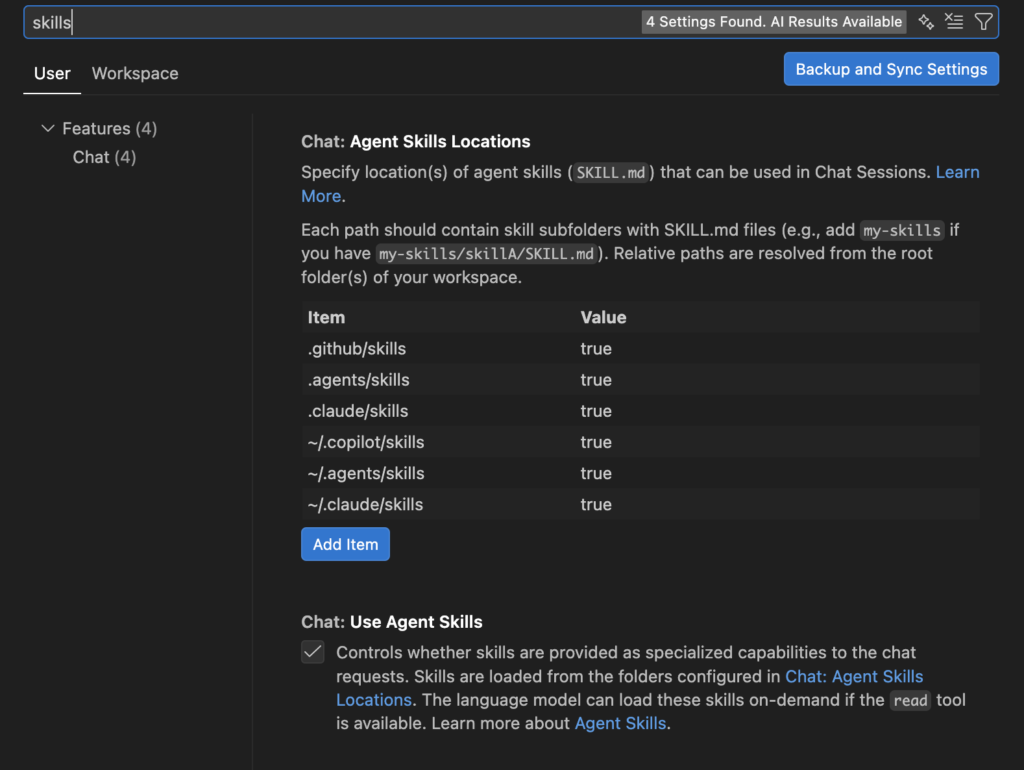
Then we are ready to go. Let us have a look at the AccommodationController.java where we find various endpoints using DTOs:
@GetMapping
public ResponseEntity<List<Accommodation>> getAccommodations(@PathVariable String raceId) {
    return ResponseEntity.ok(getAccommodationsByRaceUseCase.execute(raceId));
}
In this case here, the DTO would be Accommodation and it looks as follows:
@Data
@Builder
@NoArgsConstructor
@AllArgsConstructor
public class Accommodation {
    private String id;
    private String raceId;
    private String name;
    private String location;
    private AccommodationType type;
    private LocalDate checkIn;
    private LocalDate checkOut;
    private Boolean breakfastIncluded;
    private BigDecimal pricePerNight;
    private BigDecimal distanceToStartKm;
    private BigDecimal distanceToFinishKm;
    private RoomType roomType;
    private Integer numberOfGuests;

    public enum AccommodationType {
        RACE_START, RACE_FINISH, FULL_STAY
    }

    public enum RoomType {
        SINGLE, DOUBLE
    }
}
Now over to Copilot:
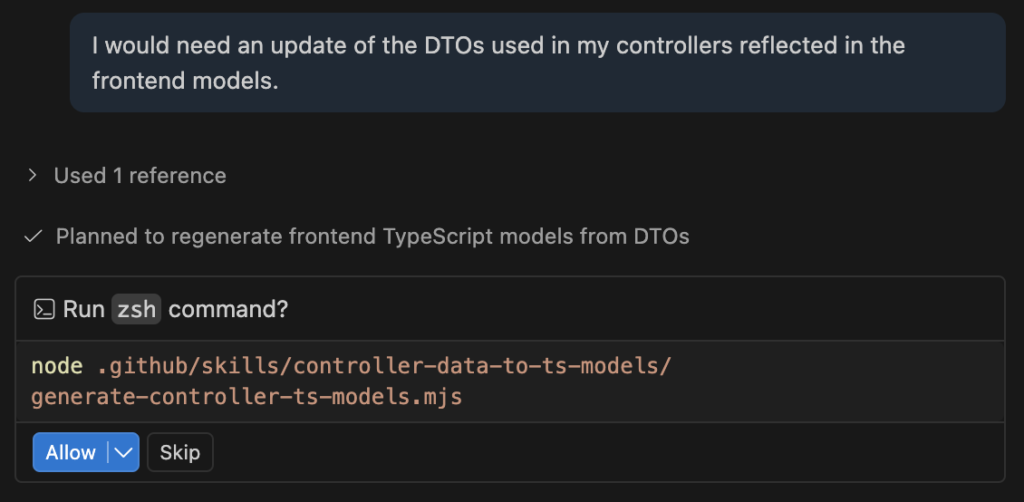
I click “Allow” and the script’s skill starts to do its work and reports back after only a few seconds. In my case it updated all the models which is okay:
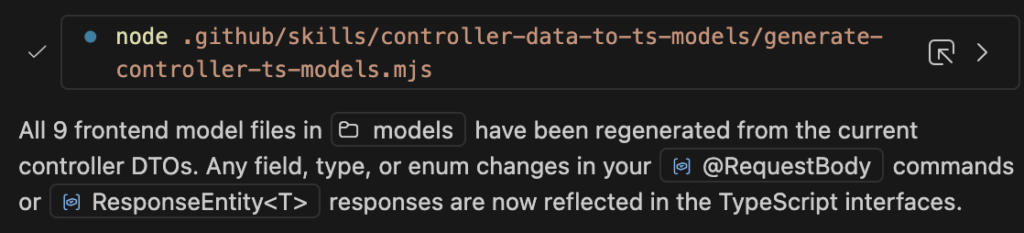
This gives us the following model in the frontend for the Accommodation interface:
export interface Accommodation {
  id?: string;
  raceId: string;
  name: string;
  location: string;
  type: AccommodationType;
  checkIn: string;
  checkOut: string;
  breakfastIncluded: boolean;
  pricePerNight: number;
  distanceToStartKm: number;
  distanceToFinishKm: number;
  roomType: RoomType;
  numberOfGuests: number;
}

export type AccommodationType = 'RACE_START' | 'RACE_FINISH' | 'FULL_STAY';
export type RoomType = 'SINGLE' | 'DOUBLE';
We see that the types were mapped correctly.
What are the Differences to Instructions, Prompts and Custom Agents?
Agent Skills are modular, on-demand, and portable AI capabilities containing specific instructions and tools, whereas custom instructions are persistent, general-purpose directives that apply to every interaction. In my experience agent skills are a great combination of well defined scripts and the power of an LLM. You have the determinism of a script that gives you more safety. Other than that, it’s also cheaper to execute the scripts than to really on AI to do the transformation. Prompts are on-demand commands executed by typing, e.g. /review, for a review prompt. They are made for repeatable one-shot functionalities.
If we would like to compare all of it, the following table can help:
| Concept | Description | Best used for |
| Instructions | Always on, standards and default behaviours | Coding standards, team preferences, broad context |
| Prompts | A manual and on-demand execution of a prompt | A simple task that does not need any loop |
| Skills | Combination of instructions, scripts and resources that are loaded when needed | Detailed instructions for a very specific task that requires more than just a simple prompt |
| Custom agents | Agents for specific development tasks that can use tools and MCP | Used if you need to tailor the coding agent to your unique workflows, coding conventions, and use cases |
Best is if you try out the various possibilities you have. And remember that you can always let AI itself create the skills, prompts, instructions and agents.
All my articles are written by myself. AI is used for some of the title images and in some cases to improve the wording and flow.